N-400 Case Status: How to Check It and What Each Update Means
Your receipt number is the key. Here is how to check your N-400 case status, what each update means, and what to do if your case seems stuck.
On this page
After you file for citizenship, the wait can feel long, and the best way to stay calm is to know where your application stands. Your N-400 case status tells you the last action USCIS took on your Application for Naturalization and, often, what comes next. You can check it for free online in less than a minute, as long as you have your receipt number.
This guide shows you how to check your N-400 case status, how to get automatic updates, what the most common status messages mean, and what to do if your case seems stuck. It also explains when to call USCIS and when it is better to wait.
Key points about your N-400 case status
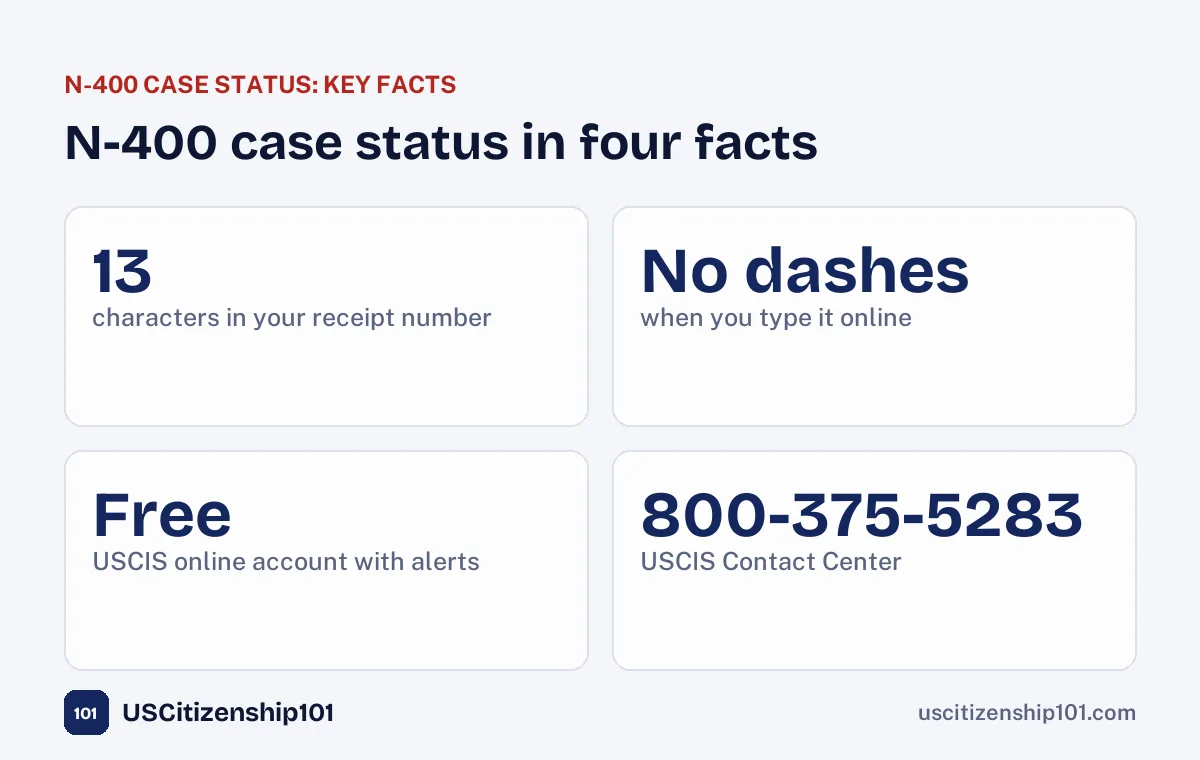
- You need your receipt number: 13 characters, three letters followed by ten numbers.
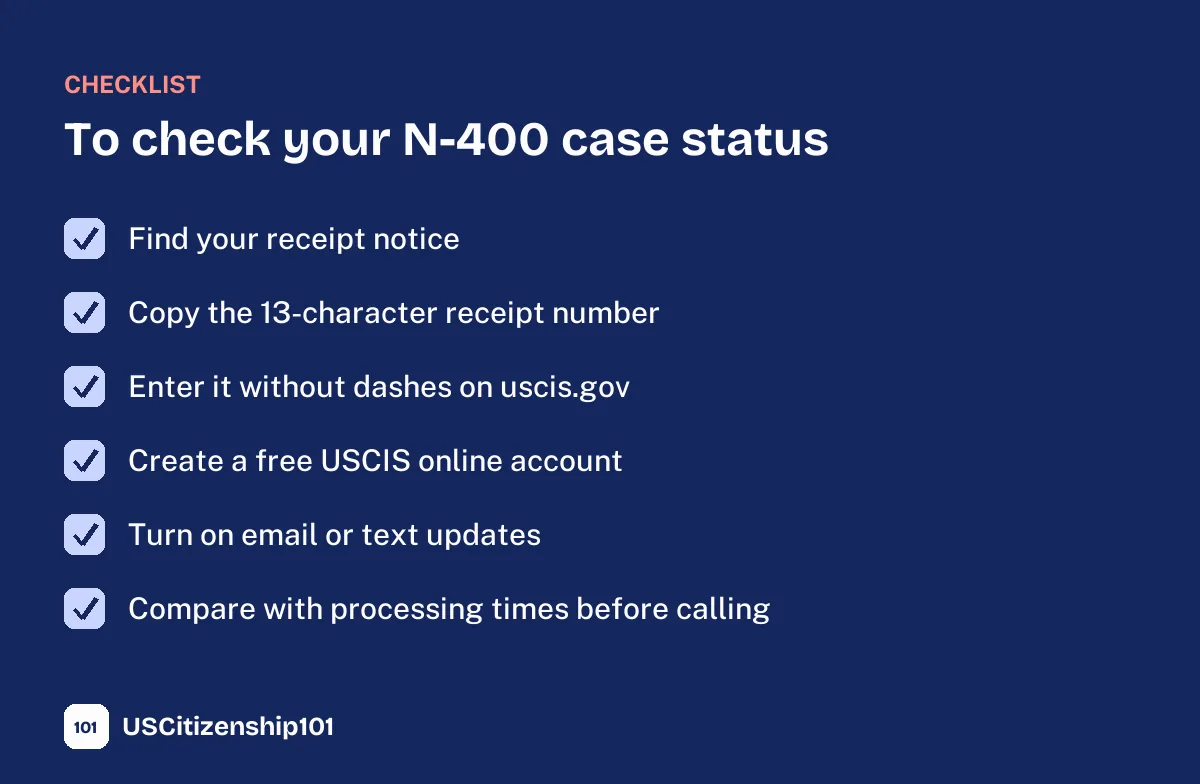
- Check your N-400 case status with the free Case Status Online tool on uscis.gov, and type the number without dashes.
- A free USCIS online account shows your notices and can send you email or text updates.
- Your status shows the last action on your case. Long quiet periods are normal while your file waits in line.
- Before you call, compare your wait with the processing times for your field office.
Step 1: Find your receipt number
A few weeks after you file, USCIS sends a receipt notice, Form I-797C, Notice of Action. If you filed online, it also appears in your USCIS online account. At the top of the notice you will find your receipt number, a 13-character code made of three letters and ten numbers. The letters show which USCIS office or system received your case, for example IOE, MSC, NBC, EAC, WAC, LIN, or SRC. Online filings often start with IOE.
Keep this notice with your citizenship papers. You will use the receipt number every time you check your N-400 case status, call USCIS, or send a question online.
Step 2: Check your N-400 case status online
Go to the Case Status Online tool on uscis.gov and type your receipt number. Leave out the dashes, but include any other characters exactly as they appear, including asterisks. The page shows the last action taken on your case and, when there is one, the next step. It takes seconds and does not require an account.
If you get an error, check that you typed the number correctly. The most common mistake is confusing the letter O with the number 0, or the letter I with the number 1. The first three characters are always letters, and the other ten are always numbers.
Step 3: Create a USCIS online account
A free USCIS online account at my.uscis.gov is the most complete way to follow your N-400 case status. If you filed online, your case is already linked. If you filed on paper, you can usually add it with the account access number printed on your receipt notice. Your account shows recent actions on your case, the notices USCIS sent you, and messages from USCIS. You can also turn on email or text alerts, so you do not have to check by hand.
Step 4: Read the update, then read your mail
An online update is only a summary. The details, such as your interview date and time, the office address, and what to bring, are in the notice USCIS sends you by mail and posts in your online account. When your N-400 case status changes, wait for the notice and read it carefully. Never miss an appointment because you only looked at the status page.

Online filing vs paper filing
How you filed changes how you follow your case. If you filed online, your receipt notice, your N-400 case status, and most of your notices appear in your USCIS online account right away, and you can answer some requests and upload documents there. You still receive important notices by mail, so keep checking your mailbox.
If you filed on paper, your receipt notice arrives by mail, usually a few weeks after USCIS accepts your application. Until it arrives, you have no receipt number to check. If your check or card payment was processed, that is a good sign your application was accepted. Once the receipt notice arrives, add your case to a USCIS online account using the account access number on the notice, so you can see your N-400 case status and notices in one place. Either way, the steps of the process are the same.
What each N-400 case status means
The exact wording can vary, but these are the updates most applicants see, in roughly this order:
- Case Was Received: USCIS accepted your N-400 and gave it a receipt number. Your case is now in line.
- Fingerprint (biometrics) appointment scheduled or fingerprints taken: USCIS needs your fingerprints and photo for background checks, or has already collected or reused them. See our guide to the biometrics appointment.
- Case Is Ready to Be Scheduled for an Interview: your file has moved forward and is waiting for an interview slot. This does not mean an interview date has been set yet.
- Interview Was Scheduled: USCIS set your interview and civics test. Your notice has the date, time, and place.
- Interview Was Completed and My Case Must Be Reviewed: the officer needs more time or another review before deciding. This is common and does not mean something is wrong.
- Request for Evidence Was Sent: USCIS needs more documents. Read the request carefully and answer by the deadline.
- Case Was Approved: USCIS approved your application. The next step is the oath.
- Oath Ceremony Notice Was Mailed or Oath Ceremony Was Scheduled: you will receive Form N-445 with your ceremony date. See our guide to the oath of allegiance ceremony.
- Case Was Denied: USCIS decided against your application. The notice explains why and your options.
Why your N-400 case status may not change for months
Many applicants see “Case Was Received” and then nothing for a long time. This is normal. While your file waits for background checks and an interview slot at your local field office, there may be no new action to report. A quiet N-400 case status usually means your case is in line, not that it is lost.
How long each step takes depends on your field office and on the number of cases USCIS is handling. For an overview of each stage, read our guide to the naturalization timeline.
How to compare your case with processing times
USCIS publishes processing times for each form and field office on its website. Choose Form N-400 and your field office, the one listed on your notices or closest to your home, to see how long it is taking to finish most cases. If your case has been pending longer than the time shown, and longer than USCIS says it must wait before accepting an inquiry, you can ask USCIS to look into it.
Compare dates using your receipt date, which is on your receipt notice, not the day you mailed or submitted your application.
What to do if your case seems stuck
- Check your N-400 case status and your online account for any notice you may have missed.
- Check processing times for your field office.
- Send an online inquiry with the e-Request tool at uscis.gov/e-request if your case is outside normal processing times, or if you never received a notice that USCIS says it sent.
- Call the USCIS Contact Center at 800-375-5283 (TTY 800-767-1833).
- Ask your congressional representative’s office for help if you still get no answer. Many offices help constituents with USCIS cases.
- Talk to an immigration attorney if your case has been delayed for a very long time or if you received a denial.
Calling the USCIS Contact Center
The USCIS Contact Center number is 800-375-5283, with TTY at 800-767-1833. Live help by phone and chat is available Monday to Friday, 8 a.m. to 8 p.m. Eastern. Outside those hours, an automated phone system can answer common questions. From outside the United States, call 212-620-3418.
Have your receipt number, full name, date of birth, and A-Number ready. Explain your question clearly, for example “My N-400 case status has not changed in eight months, and my field office’s processing time is six months.” Write down the date, the name or ID of the person you spoke with, and any reference number they give you.
Emma, the USCIS virtual assistant
On uscis.gov you can also ask Emma, the USCIS virtual assistant, general questions in English or Spanish. Emma cannot change your case, but she can explain status messages, point you to the right form, and sometimes connect you to a live agent during business hours.
Keep your address up to date
Many delays happen because a notice goes to an old address. If you move while your N-400 is pending, update your address with USCIS within 10 days, online through your account or with the change of address tool on uscis.gov. Also tell the post office. Missing an interview or a request for evidence because a notice went to your old home can delay or even end your case.
Checking your status after the interview
At the end of your interview, the officer gives you Form N-652, Naturalization Interview Results. It tells you whether your case was recommended for approval, continued, or denied. If it was continued, for example to retake part of the test or to send more documents, your N-400 case status will update when USCIS takes the next action. If you were recommended for approval, watch for your oath ceremony notice. Some offices hold the oath the same day. Learn more in our guide to the USCIS citizenship interview.
The notices you will receive
Your N-400 case status online always goes together with paper notices. Knowing which notice is which helps you act quickly:
- Form I-797C, Notice of Action (receipt): confirms USCIS received your N-400 and gives your receipt number.
- Biometrics appointment notice: the date, time, and place for fingerprints and photo, if USCIS needs them.
- Interview notice: the date, time, and field office for your interview and tests, plus a list of what to bring.
- Request for Evidence or Form N-14: a request for more documents or information, with a deadline.
- Form N-652, Naturalization Interview Results: given at the end of your interview.
- Form N-445, Notice of Naturalization Oath Ceremony: your ceremony date, time, and place, and a short questionnaire to complete.
Keep every notice in one folder, in order. If you ever need to call USCIS or ask for help from your representative, having the full history of your N-400 case status on paper makes it much easier.

If you need to reschedule an appointment
Life happens. If you cannot attend your biometrics appointment or interview, follow the instructions on your notice to reschedule as early as possible, and keep proof that you asked. Missing an interview without rescheduling can lead USCIS to treat your application as abandoned. After you reschedule, watch your N-400 case status and your online account for the new appointment notice.
Checking a family member’s case
You can check the N-400 case status of a parent, spouse, or friend if they give you their receipt number, because the online tool only shows general status information. However, only the applicant, or an attorney or accredited representative with a signed Form G-28, can discuss the details of the case with USCIS. If you are helping an older relative, sit with them when they call so they can give permission and answer identity questions.
Protect yourself from scams
USCIS will never ask you to pay by gift card or wire transfer, and it will not threaten you by phone to demand money to fix your N-400 case status. Official USCIS emails and websites end in .gov. Be careful with websites and apps that ask for your receipt number together with your A-Number, date of birth, and other personal details. When in doubt, check your status only on uscis.gov or in your own USCIS online account.
What happens after your case is approved
When your N-400 case status says your case was approved, the last step is the Oath of Allegiance. USCIS mails you Form N-445 with your ceremony details. At the ceremony you return your Green Card, take the oath, and receive your Certificate of Naturalization. From that moment you are a U.S. citizen, and you can apply for a U.S. passport and register to vote.
Common mistakes to avoid
- Typing the receipt number with dashes or with the letter O instead of zero.
- Calling USCIS before your case is outside normal processing times.
- Relying only on the status page and not reading the notice.
- Moving without updating your address with USCIS.
- Sharing your receipt number or account login on social media or with unofficial “status” sites that ask for personal information.
- Paying someone to check your N-400 case status. It is free.
Use the waiting time to study
The best use of the months between filing and your interview is preparation. You will take the civics test and the English reading and writing tests at your interview. Practice a little every day with our free civics practice test, review the citizenship interview questions, and follow a study plan. When your N-400 case status finally says “Interview Was Scheduled,” you will be ready.
Frequently asked questions
How do I check my N-400 case status?
Go to Case Status Online on uscis.gov and enter your 13-character receipt number without dashes. You can also see your N-400 case status in your USCIS online account.
Where is my receipt number?
At the top of your receipt notice, Form I-797C. If you filed online, it is also in your USCIS online account.
Why does my status still say Case Was Received?
Your case is probably waiting in line for background checks or an interview slot. Long periods without updates are normal. Compare your wait with the processing times for your field office.
Does “Case Is Ready to Be Scheduled for an Interview” mean my interview is soon?
Not necessarily. It means your file is ready for an interview slot. The wait for a date depends on your field office.
Can I check my N-400 case status by phone?
Yes. Call 800-375-5283 and have your receipt number ready. The online tool is usually faster.
Can I check my status without a receipt number?
The online tool needs a receipt number. If you lost it, look in your USCIS online account or call the Contact Center with your A-Number and personal details.
Is checking my N-400 case status free?
Yes. Checking your status, creating an online account, and calling USCIS are all free. Never pay anyone to check it for you.
Final thoughts
Checking your N-400 case status is simple once you have your receipt number: type it on uscis.gov, create an online account for alerts, read every notice, and compare your wait with processing times before you call. Most of the time, a quiet status only means your case is in line. Use that time to study, and you will be ready when your interview notice arrives.
Sources: USCIS, Checking Your Case Status Online; USCIS Contact Center; USCIS, Check Case Processing Times. Last reviewed September 2026.
Free tools
This article is for general education, not legal advice. Always confirm requirements at uscis.gov.